I just ran Qwen3.6 — Alibaba’s latest local-LLM offering — on my Mac Studio M4 Max and my first impression is honest: this is a monster of a model. Not just in raw capability, but in pure usability. After a focused test period, I made the call to retire Qwen3.5. The improvement isn’t marginal — it’s a clear generational leap.
What Is Qwen3.6?
Qwen3.6 is Alibaba’s newest large language model, built on a 36-billion-parameter Mixture-of-Experts (MoE) architecture and quantized as Qwen35Moe (Q4_K_M). The MoE design is key here — rather than activating the full 36B parameters on every inference, only a subset is used per token. In practice that means:
- Comparable (often superior) quality to dense models of similar size
- Faster inference, since active compute per step is lower
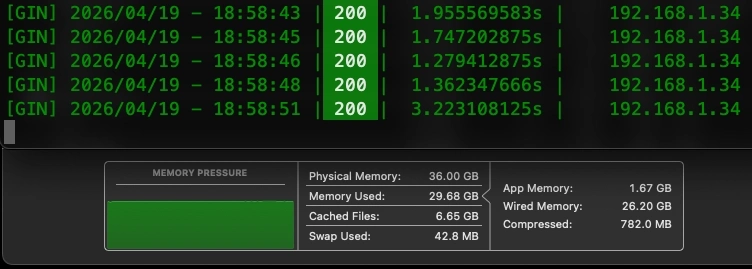
- Efficient memory usage — it ran comfortably on my 36GB unified memory Mac Studio M4 Max with roughly 24GB of model weight
I had seen glimpses of Qwen3.6’s promise before, but running it head-to-head with Qwen3.5 made the difference impossible to ignore.
The Continue Extension Test: Immediate Impact
As with my earlier Gemma 4 testing, I loaded Qwen3.6 into the Continue extension in VS Codium and gave it a handful of real-world tasks — code generation, refactoring, architectural suggestions on existing projects on my machine.
My takeaway was swift: this model is outstanding. The depth of reasoning, the precision of its explanations, and especially its code output quality were immediately noticeable. It handles context window well and doesn’t lose its train of thought like earlier models do in longer threads.
After seeing the enormous improvement, I made the decision to delete Qwen3.5 from my environment. The new model doesn’t just edge it out — it surpasses it significantly in both speed and output quality. Qwen3.5 has earned its retirement.
Moving to the Ollama Bench Test
After the Continue testing, I wanted a more controlled comparison — the same HTML output test I ran yesterday with Gemma 4. So I SSH’d into my Mac Studio M4 Max and fired up Ollama with Qwen3.6 using the following prompt:
Write a complete, single-file HTML and Tailwind CSS landing page for a fictional AI-powered gardening app called ‘GreenThumb’. Include a hero section, a features grid with 3 items, a pricing table, and a contact form. Ensure the code is clean and production-ready.
HTML Output
I believe that seeing the actual code generated is the most telling part of any local LLM test. We often talk about load times and VRAM efficiency, but the real value lies in the complexity and quality of the code the model actually builds.
I am providing the full output below because I want to give you a sense of the massive amount of functional HTML code generated entirely from that one short prompt. I encourage you to copy the code and run it in your own browser—see for yourself just how capable and reliable Qwen3.6 is when you put it to task.
<!DOCTYPE html>
<html lang="en" class="scroll-smooth">
<head>
<meta charset="UTF-8">
<meta name="viewport" content="width=device-width, initial-scale=1.0">
<title>GreenThumb — AI-Powered Gardening</title>
<script src="https://cdn.tailwindcss.com"></script>
<script>
tailwind.config = {
theme: {
extend: {
colors: {
brand: {
50: '#f0fdf4',
100: '#dcfce7',
200: '#bbf7d0',
300: '#86efac',
400: '#4ade80',
500: '#22c55e',
600: '#16a34a',
700: '#15803d',
800: '#166534',
900: '#14532d',
}
},
fontFamily: {
sans: ['Inter', 'system-ui', '-apple-system', 'sans-serif'],
}
}
}
}
</script>
<link rel="preconnect" href="https://fonts.googleapis.com">
<link rel="preconnect" href="https://fonts.gstatic.com" crossorigin>
<link href="https://fonts.googleapis.com/css2?family=Inter:wght@400;500;600;700;800&display=swap"
rel="stylesheet">
<style>
@keyframes float {
0%, 100% { transform: translateY(0px); }
50% { transform: translateY(-10px); }
}
.animate-float { animation: float 3s ease-in-out infinite; }
@keyframes fadeInUp {
from { opacity: 0; transform: translateY(24px); }
to { opacity: 1; transform: translateY(0); }
}
.animate-fade-in-up { animation: fadeInUp 0.6s ease-out forwards; }
.delay-100 { animation-delay: 100ms; }
.delay-200 { animation-delay: 200ms; }
.delay-300 { animation-delay: 300ms; }
</style>
</head>
<body class="font-sans text-gray-800 bg-white antialiased">
<!-- ===================== NAVBAR ===================== -->
<nav class="fixed top-0 left-0 right-0 z-50 bg-white/80 backdrop-blur-lg border-b border-gray-100">
<div class="max-w-7xl mx-auto px-4 sm:px-6 lg:px-8">
<div class="flex items-center justify-between h-16">
<!-- Logo -->
<a href="#" class="flex items-center gap-2 text-brand-700">
<svg class="w-8 h-8" viewBox="0 0 32 32" fill="none" xmlns="http://www.w3.org/2000/svg">
<circle cx="16" cy="16" r="16" fill="#16a34a"/>
<path d="M16 8c-4 0-7 3-7 7 0 5 7 9 7 9s7-4 7-9c0-4-3-7-7-7z" fill="#dcfce7" opacity="0.6"/>
<path d="M16 10c-3 0-5 2.5-5 6 0 4 5 7 5 7s5-3 5-7c0-3.5-2-6-5-6z" fill="#22c55e"/>
<path d="M16 14v10" stroke="#14532d" stroke-width="1.5" stroke-linecap="round"/>
<path d="M16 18c-2 0-3.5-1-3.5-2.5" stroke="#14532d" stroke-width="1.2" stroke-linecap="round"
opacity="0.5"/>
</svg>
<span class="text-xl font-bold tracking-tight">GreenThumb</span>
</a>
<!-- Desktop Nav Links -->
<div class="hidden md:flex items-center gap-8">
<a href="#features" class="text-sm font-medium text-gray-600 hover:text-brand-600
transition-colors">Features</a>
<a href="#pricing" class="text-sm font-medium text-gray-600 hover:text-brand-600
transition-colors">Pricing</a>
<a href="#contact" class="text-sm font-medium text-gray-600 hover:text-brand-600
transition-colors">Contact</a>
<a href="#pricing" class="inline-flex items-center px-5 py-2.5 text-sm font-semibold text-white
bg-brand-600 rounded-full hover:bg-brand-700 transition-colors shadow-sm">
Get Started
</a>
</div>
<!-- Mobile Menu Button -->
<button id="menuBtn" class="md:hidden p-2 rounded-lg text-gray-500 hover:bg-gray-100 transition-colors"
aria-label="Toggle menu">
<svg class="w-6 h-6" fill="none" stroke="currentColor" viewBox="0 0 24 24">
<path id="menuIcon" stroke-linecap="round" stroke-linejoin="round" stroke-width="2" d="M4 6h16M4
12h16M4 18h16"/>
</svg>
</button>
</div>
<!-- Mobile Menu -->
<div id="mobileMenu" class="md:hidden hidden pb-4 border-t border-gray-100">
<div class="flex flex-col gap-1 pt-3">
<a href="#features" class="mobile-link px-3 py-2 text-sm font-medium text-gray-600 hover:text-brand-600
hover:bg-brand-50 rounded-lg transition-colors">Features</a>
<a href="#pricing" class="mobile-link px-3 py-2 text-sm font-medium text-gray-600 hover:text-brand-600
hover:bg-brand-50 rounded-lg transition-colors">Pricing</a>
<a href="#contact" class="mobile-link px-3 py-2 text-sm font-medium text-gray-600 hover:text-brand-600
hover:bg-brand-50 rounded-lg transition-colors">Contact</a>
<a href="#pricing" class="mx-3 mt-2 inline-flex items-center justify-center px-5 py-2.5 text-sm
font-semibold text-white bg-brand-600 rounded-full hover:bg-brand-700 transition-colors">Get Started</a>
</div>
</div>
</div>
</nav>
<!-- ===================== HERO SECTION ===================== -->
<section class="relative pt-16 overflow-hidden">
<!-- Background Decoration -->
<div class="absolute inset-0 bg-gradient-to-br from-brand-50 via-white to-emerald-50"></div>
<div class="absolute top-20 right-0 w-96 h-96 bg-brand-200/30 rounded-full blur-3xl"></div>
<div class="absolute bottom-0 left-0 w-72 h-72 bg-emerald-200/20 rounded-full blur-3xl"></div>
<div class="relative max-w-7xl mx-auto px-4 sm:px-6 lg:px-8 py-20 sm:py-28 lg:py-36">
<div class="grid lg:grid-cols-2 gap-12 lg:gap-20 items-center">
<!-- Left Content -->
<div class="text-center lg:text-left">
<div class="inline-flex items-center gap-2 px-4 py-1.5 text-xs font-semibold text-brand-700 bg-brand-100
rounded-full mb-6 animate-fade-in-up">
<span class="w-2 h-2 bg-brand-500 rounded-full animate-pulse"></span>
Now with AI Plant Diagnosis
</div>
<h1 class="text-4xl sm:text-5xl lg:text-6xl font-extrabold tracking-tight text-gray-900 leading-tight
animate-fade-in-up delay-100">
Grow Anything,<br>
<span class="text-transparent bg-clip-text bg-gradient-to-r from-brand-600 to-emerald-500">Powered by
AI</span>
</h1>
<p class="mt-6 text-lg sm:text-xl text-gray-600 max-w-xl mx-auto lg:mx-0 leading-relaxed
animate-fade-in-up delay-200">
GreenThumb uses cutting-edge artificial intelligence to analyze your garden, diagnose plant health,
and deliver personalized care tips — all in real time.
</p>
<div class="mt-8 flex flex-col sm:flex-row gap-4 justify-center lg:justify-start animate-fade-in-up
delay-300">
<a href="#pricing" class="inline-flex items-center justify-center px-8 py-3.5 text-base font-semibold
text-white bg-brand-600 rounded-full hover:bg-brand-700 transition-all shadow-lg shadow-brand-600/25
hover:shadow-brand-600/40 hover:-translate-y-0.5">
Start Free Trial
<svg class="ml-2 w-4 h-4" fill="none" stroke="currentColor" viewBox="0 0 24 24"><path
stroke-linecap="round" stroke-linejoin="round" stroke-width="2" d="M17 8l4 4m0 0l-4 4m4-4H3"/></svg>
</a>
<a href="#features" class="inline-flex items-center justify-center px-8 py-3.5 text-base font-semibold
text-gray-700 bg-white border border-gray-200 rounded-full hover:bg-gray-50 hover:border-gray-300 transition-all">
<svg class="mr-2 w-5 h-5 text-brand-500" fill="currentColor" viewBox="0 0 24 24"><path d="M8
5v14l11-7z"/></svg>
Watch Demo
</a>
</div>
<!-- Social Proof -->
<div class="mt-10 flex items-center gap-4 justify-center lg:justify-start animate-fade-in-up delay-300">
<div class="flex -space-x-2">
<div class="w-8 h-8 rounded-full bg-brand-400 border-2 border-white flex items-center justify-center
text-xs font-bold text-white">A</div>
<div class="w-8 h-8 rounded-full bg-emerald-400 border-2 border-white flex items-center
justify-center text-xs font-bold text-white">M</div>
<div class="w-8 h-8 rounded-full bg-green-400 border-2 border-white flex items-center justify-center
text-xs font-bold text-white">S</div>
<div class="w-8 h-8 rounded-full bg-teal-400 border-2 border-white flex items-center justify-center
text-xs font-bold text-white">R</div>
<div class="w-8 h-8 rounded-full bg-green-300 border-2 border-white flex items-center justify-center
text-xs font-bold text-white">+</div>
</div>
<p class="text-sm text-gray-500">
<span class="font-semibold text-gray-700">12,000+</span> gardeners already growing smarter
</p>
</div>
</div>
<!-- Right Visual -->
<div class="relative flex justify-center lg:justify-end">
<div class="relative w-72 sm:w-80 lg:w-96 animate-float">
<!-- Phone Mockup -->
<div class="bg-white rounded-3xl shadow-2xl shadow-brand-900/10 border border-gray-100 p-4">
<div class="bg-gradient-to-br from-brand-500 to-emerald-600 rounded-2xl overflow-hidden">
<!-- App Screen Header -->
<div class="bg-white/10 backdrop-blur px-5 py-4 flex items-center justify-between">
<div class="w-8 h-8 bg-white/20 rounded-lg"></div>
<span class="text-white text-sm font-medium">My Garden</span>
<div class="w-8 h-8 bg-white/20 rounded-lg"></div>
</div>
<!-- Plant Card -->
<div class="px-5 pb-5">
<div class="bg-white/10 backdrop-blur rounded-xl p-4">
<div class="flex items-center gap-3 mb-3">
<div class="w-10 h-10 bg-white/20 rounded-full flex items-center justify-center">
<svg class="w-5 h-5 text-white" fill="currentColor" viewBox="0 0 24 24"><path d="M12 2C8 2
4 6 4 10c0 3 2 5 4 6v4h8v-4c2-1 4-3 4-6 0-4-4-8-8-8z"/></svg>
</div>
<div>
<p class="text-white text-sm font-semibold">Tomato Plant</p>
<p class="text-brand-100 text-xs">Healthy • Needs watering</p>
</div>
</div>
<!-- Progress Bars -->
<div class="space-y-2">
<div>
<div class="flex justify-between text-xs text-white/70 mb-1">
<span>Water Level</span><span>65%</span>
</div>
<div class="w-full bg-white/20 rounded-full h-2">
<div class="bg-white rounded-full h-2" style="width:65%"></div>
</div>
</div>
<div>
<div class="flex justify-between text-xs text-white/70 mb-1">
<span>Sunlight</span><span>90%</span>
</div>
<div class="w-full bg-white/20 rounded-full h-2">
<div class="bg-white rounded-full h-2" style="width:90%"></div>
</div>
</div>
</div>
</div>
</div>
<!-- AI Recommendation -->
<div class="px-5 pb-5">
<div class="bg-white/15 backdrop-blur rounded-xl p-4 border border-white/20">
<div class="flex items-center gap-2 mb-2">
<svg class="w-4 h-4 text-yellow-300" fill="currentColor" viewBox="0 0 24 24"><path d="M12
2l3.09 6.26L22 9.27l-5 4.87 1.18 6.88L12 17.77l-6.18 3.25L7 14.14 2 9.27l6.91-1.01L12 2z"/></svg>
<span class="text-white text-xs font-semibold uppercase tracking-wider">AI Insight</span>
</div>
<p class="text-white/80 text-xs leading-relaxed">"Your tomatoes need more nitrogen. Add
compost and water in the early morning for best results."</p>
</div>
</div>
</div>
</div>
<!-- Floating Badge -->
<div class="absolute -bottom-4 -left-4 bg-white rounded-2xl shadow-xl shadow-brand-900/10 border
border-gray-100 px-4 py-3 flex items-center gap-3">
<div class="w-10 h-10 bg-brand-100 rounded-xl flex items-center justify-center">
<svg class="w-5 h-5 text-brand-600" fill="none" stroke="currentColor" viewBox="0 0 24 24"><path
stroke-linecap="round" stroke-linejoin="round" stroke-width="2" d="M5 13l4 4L19 7"/></svg>
</div>
<div>
<p class="text-xs text-gray-500">Diagnosis</p>
<p class="text-sm font-bold text-gray-800">100% Accurate</p>
</div>
</div>
</div>
</div>
</div>
</div>
</section>
<!-- ===================== FEATURES SECTION ===================== -->
<section id="features" class="py-20 sm:py-28 bg-white">
<div class="max-w-7xl mx-auto px-4 sm:px-6 lg:px-8">
<!-- Section Header -->
<div class="text-center max-w-2xl mx-auto">
<span class="text-sm font-semibold text-brand-600 uppercase tracking-wider">Features</span>
<h2 class="mt-3 text-3xl sm:text-4xl font-extrabold text-gray-900 tracking-tight">
Everything You Need to <span class="text-brand-600">Grow Better</span>
</h2>
<p class="mt-4 text-lg text-gray-500">
From disease detection to personalized watering schedules, GreenThumb handles the science so you can
enjoy the art of gardening.
</p>
</div>
<!-- Features Grid -->
<div class="mt-16 grid md:grid-cols-3 gap-8">
<!-- Feature 1 -->
<div class="group relative bg-gradient-to-b from-brand-50 to-white rounded-2xl border border-brand-100 p-8
hover:shadow-xl hover:shadow-brand-100/50 transition-all duration-300 hover:-translate-y-1">
<div class="w-14 h-14 bg-brand-600 rounded-2xl flex items-center justify-center mb-6
group-hover:scale-110 transition-transform">
<svg class="w-7 h-7 text-white" fill="none" stroke="currentColor" viewBox="0 0 24 24">
<path stroke-linecap="round" stroke-linejoin="round" stroke-width="1.5" d="M9.75 17L9 20l-1
1h8l-1-1-.75-3M3 13h18M5 17h14a2 2 0 002-2V5a2 2 0 00-2-2H5a2 2 0 00-2 2v10a2 2 0 002 2z"/>
</svg>
</div>
<h3 class="text-xl font-bold text-gray-900 mb-3">AI Plant Diagnosis</h3>
<p class="text-gray-500 leading-relaxed">
Snap a photo of any plant and our AI instantly identifies species, detects diseases, and recommends
treatments with 98% accuracy.
</p>
<div class="mt-6 flex items-center gap-2 text-sm font-semibold text-brand-600">
Learn more
<svg class="w-4 h-4 group-hover:translate-x-1 transition-transform" fill="none" stroke="currentColor"
viewBox="0 0 24 24"><path stroke-linecap="round" stroke-linejoin="round" stroke-width="2" d="M17 8l4 4m0 0l-4
4m4-4H3"/></svg>
</div>
</div>
<!-- Feature 2 -->
<div class="group relative bg-gradient-to-b from-emerald-50 to-white rounded-2xl border border-emerald-100
p-8 hover:shadow-xl hover:shadow-emerald-100/50 transition-all duration-300 hover:-translate-y-1">
<div class="w-14 h-14 bg-emerald-600 rounded-2xl flex items-center justify-center mb-6
group-hover:scale-110 transition-transform">
<svg class="w-7 h-7 text-white" fill="none" stroke="currentColor" viewBox="0 0 24 24">
<path stroke-linecap="round" stroke-linejoin="round" stroke-width="1.5" d="M12 8v4l3 3m6-3a9 9 0
11-18 0 9 9 0 0118 0z"/>
</svg>
</div>
<h3 class="text-xl font-bold text-gray-900 mb-3">Smart Care Scheduling</h3>
<p class="text-gray-500 leading-relaxed">
Receive personalized watering, fertilizing, and pruning reminders based on your local weather, soil
type, and plant requirements.
</p>
<div class="mt-6 flex items-center gap-2 text-sm font-semibold text-emerald-600">
Learn more
<svg class="w-4 h-4 group-hover:translate-x-1 transition-transform" fill="none" stroke="currentColor"
viewBox="0 0 24 24"><path stroke-linecap="round" stroke-linejoin="round" stroke-width="2" d="M17 8l4 4m0 0l-4
4m4-4H3"/></svg>
</div>
</div>
<!-- Feature 3 -->
<div class="group relative bg-gradient-to-b from-green-50 to-white rounded-2xl border border-green-100 p-8
hover:shadow-xl hover:shadow-green-100/50 transition-all duration-300 hover:-translate-y-1">
<div class="w-14 h-14 bg-green-600 rounded-2xl flex items-center justify-center mb-6
group-hover:scale-110 transition-transform">
<svg class="w-7 h-7 text-white" fill="none" stroke="currentColor" viewBox="0 0 24 24">
<path stroke-linecap="round" stroke-linejoin="round" stroke-width="1.5" d="M17 20h5v-2a3 3 0
00-5.356-1.857M17 20H7m10 0v-2c0-.656-.126-1.283-.356-1.857M7 20H2v-2a3 3 0 015.356-1.857M7
20v-2c0-.656.126-1.283.356-1.857m0 0a5.002 5.002 0 019.288 0M15 7a3 3 0 11-6 0 3 3 0 016 0zm6 3a2 2 0 11-4 0 2 2 0
014 0zM7 10a2 2 0 11-4 0 2 2 0 014 0z"/>
</svg>
</div>
<h3 class="text-xl font-bold text-gray-900 mb-3">Community & Insights</h3>
<p class="text-gray-500 leading-relaxed">
Connect with fellow gardeners, share your harvest, and access a growing library of expert-curated
gardening guides and seasonal tips.
</p>
<div class="mt-6 flex items-center gap-2 text-sm font-semibold text-green-600">
Learn more
<svg class="w-4 h-4 group-hover:translate-x-1 transition-transform" fill="none" stroke="currentColor"
viewBox="0 0 24 24"><path stroke-linecap="round" stroke-linejoin="round" stroke-width="2" d="M17 8l4 4m0 0l-4
4m4-4H3"/></svg>
</div>
</div>
</div>
</div>
</section>
<!-- ===================== PRICING SECTION ===================== -->
<section id="pricing" class="py-20 sm:py-28 bg-gray-50">
<div class="max-w-7xl mx-auto px-4 sm:px-6 lg:px-8">
<!-- Section Header -->
<div class="text-center max-w-2xl mx-auto">
<span class="text-sm font-semibold text-brand-600 uppercase tracking-wider">Pricing</span>
<h2 class="mt-3 text-3xl sm:text-4xl font-extrabold text-gray-900 tracking-tight">
Plans for Every <span class="text-brand-600">Gardener</span>
</h2>
<p class="mt-4 text-lg text-gray-500">
Start free and scale as your garden grows. No hidden fees, cancel anytime.
</p>
</div>
<!-- Pricing Cards -->
<div class="mt-16 grid md:grid-cols-3 gap-8 max-w-5xl mx-auto">
<!-- Free Plan -->
<div class="bg-white rounded-2xl border border-gray-200 p-8 flex flex-col">
<div class="mb-6">
<h3 class="text-lg font-bold text-gray-900">Free</h3>
<p class="text-sm text-gray-500 mt-1">Perfect for casual gardeners</p>
</div>
<div class="mb-6">
<span class="text-4xl font-extrabold text-gray-900">$0</span>
<span class="text-gray-500 text-sm">/month</span>
</div>
<ul class="space-y-3 mb-8 flex-1">
<li class="flex items-center gap-3 text-sm text-gray-600">
<svg class="w-5 h-5 text-brand-500 flex-shrink-0" fill="none" stroke="currentColor" viewBox="0 0 24
24"><path stroke-linecap="round" stroke-linejoin="round" stroke-width="2" d="M5 13l4 4L19 7"/></svg>
5 plant diagnoses / month
</li>
<li class="flex items-center gap-3 text-sm text-gray-600">
<svg class="w-5 h-5 text-brand-500 flex-shrink-0" fill="none" stroke="currentColor" viewBox="0 0 24
24"><path stroke-linecap="round" stroke-linejoin="round" stroke-width="2" d="M5 13l4 4L19 7"/></svg>
Basic care reminders
</li>
<li class="flex items-center gap-3 text-sm text-gray-600">
<svg class="w-5 h-5 text-brand-500 flex-shrink-0" fill="none" stroke="currentColor" viewBox="0 0 24
24"><path stroke-linecap="round" stroke-linejoin="round" stroke-width="2" d="M5 13l4 4L19 7"/></svg>
Community access
</li>
<li class="flex items-center gap-3 text-sm text-gray-400">
<svg class="w-5 h-5 text-gray-300 flex-shrink-0" fill="none" stroke="currentColor" viewBox="0 0 24
24"><path stroke-linecap="round" stroke-linejoin="round" stroke-width="2" d="M6 18L18 6M6 6l12 12"/></svg>
<span class="line-through">AI insights</span>
</li>
<li class="flex items-center gap-3 text-sm text-gray-400">
<svg class="w-5 h-5 text-gray-300 flex-shrink-0" fill="none" stroke="currentColor" viewBox="0 0 24
24"><path stroke-linecap="round" stroke-linejoin="round" stroke-width="2" d="M6 18L18 6M6 6l12 12"/></svg>
<span class="line-through">Seasonal planning</span>
</li>
</ul>
<a href="#" class="block w-full text-center px-6 py-3 text-sm font-semibold text-brand-700 bg-brand-50
rounded-full hover:bg-brand-100 transition-colors">
Get Started Free
</a>
</div>
<!-- Pro Plan (Featured) -->
<div class="relative bg-gradient-to-b from-brand-600 to-brand-700 rounded-2xl p-8 flex flex-col shadow-2xl
shadow-brand-600/30 scale-105 md:scale-110">
<div class="absolute -top-4 left-1/2 -translate-x-1/2">
<span class="inline-flex items-center px-4 py-1 text-xs font-bold text-brand-700 bg-yellow-300
rounded-full uppercase tracking-wide">Most Popular</span>
</div>
<div class="mb-6">
<h3 class="text-lg font-bold text-white">Pro</h3>
<p class="text-sm text-brand-200 mt-1">For dedicated gardeners</p>
</div>
<div class="mb-6">
<span class="text-4xl font-extrabold text-white">$9</span>
<span class="text-brand-200 text-sm">/month</span>
</div>
<ul class="space-y-3 mb-8 flex-1">
<li class="flex items-center gap-3 text-sm text-brand-100">
<svg class="w-5 h-5 text-yellow-300 flex-shrink-0" fill="none" stroke="currentColor" viewBox="0 0 24
24"><path stroke-linecap="round" stroke-linejoin="round" stroke-width="2" d="M5 13l4 4L19 7"/></svg>
Unlimited plant diagnoses
</li>
<li class="flex items-center gap-3 text-sm text-brand-100">
<svg class="w-5 h-5 text-yellow-300 flex-shrink-0" fill="none" stroke="currentColor" viewBox="0 0 24
24"><path stroke-linecap="round" stroke-linejoin="round" stroke-width="2" d="M5 13l4 4L19 7"/></svg>
Smart scheduling & weather alerts
</li>
<li class="flex items-center gap-3 text-sm text-brand-100">
<svg class="w-5 h-5 text-yellow-300 flex-shrink-0" fill="none" stroke="currentColor" viewBox="0 0 24
24"><path stroke-linecap="round" stroke-linejoin="round" stroke-width="2" d="M5 13l4 4L19 7"/></svg>
AI-powered insights
</li>
<li class="flex items-center gap-3 text-sm text-brand-100">
<svg class="w-5 h-5 text-yellow-300 flex-shrink-0" fill="none" stroke="currentColor" viewBox="0 0 24
24"><path stroke-linecap="round" stroke-linejoin="round" stroke-width="2" d="M5 13l4 4L19 7"/></svg>
Seasonal planting planner
</li>
<li class="flex items-center gap-3 text-sm text-brand-100">
<svg class="w-5 h-5 text-yellow-300 flex-shrink-0" fill="none" stroke="currentColor" viewBox="0 0 24
24"><path stroke-linecap="round" stroke-linejoin="round" stroke-width="2" d="M5 13l4 4L19 7"/></svg>
Priority support
</li>
</ul>
<a href="#" class="block w-full text-center px-6 py-3 text-sm font-bold text-brand-700 bg-yellow-300
rounded-full hover:bg-yellow-200 transition-colors">
Start 14-Day Free Trial
</a>
</div>
<!-- Premium Plan -->
<div class="bg-white rounded-2xl border border-gray-200 p-8 flex flex-col">
<div class="mb-6">
<h3 class="text-lg font-bold text-gray-900">Premium</h3>
<p class="text-sm text-gray-500 mt-1">For professionals & nurseries</p>
</div>
<div class="mb-6">
<span class="text-4xl font-extrabold text-gray-900">$29</span>
<span class="text-gray-500 text-sm">/month</span>
</div>
<ul class="space-y-3 mb-8 flex-1">
<li class="flex items-center gap-3 text-sm text-gray-600">
<svg class="w-5 h-5 text-brand-500 flex-shrink-0" fill="none" stroke="currentColor" viewBox="0 0 24
24"><path stroke-linecap="round" stroke-linejoin="round" stroke-width="2" d="M5 13l4 4L19 7"/></svg>
Everything in Pro
</li>
<li class="flex items-center gap-3 text-sm text-gray-600">
<svg class="w-5 h-5 text-brand-500 flex-shrink-0" fill="none" stroke="currentColor" viewBox="0 0 24
24"><path stroke-linecap="round" stroke-linejoin="round" stroke-width="2" d="M5 13l4 4L19 7"/></svg>
Multi-garden management
</li>
<li class="flex items-center gap-3 text-sm text-gray-600">
<svg class="w-5 h-5 text-brand-500 flex-shrink-0" fill="none" stroke="currentColor" viewBox="0 0 24
24"><path stroke-linecap="round" stroke-linejoin="round" stroke-width="2" d="M5 13l4 4L19 7"/></svg>
API access & integrations
</li>
<li class="flex items-center gap-3 text-sm text-gray-600">
<svg class="w-5 h-5 text-brand-500 flex-shrink-0" fill="none" stroke="currentColor" viewBox="0 0 24
24"><path stroke-linecap="round" stroke-linejoin="round" stroke-width="2" d="M5 13l4 4L19 7"/></svg>
Team collaboration (up to 10)
</li>
<li class="flex items-center gap-3 text-sm text-gray-600">
<svg class="w-5 h-5 text-brand-500 flex-shrink-0" fill="none" stroke="currentColor" viewBox="0 0 24
24"><path stroke-linecap="round" stroke-linejoin="round" stroke-width="2" d="M5 13l4 4L19 7"/></svg>
White-label reports
</li>
</ul>
<a href="#" class="block w-full text-center px-6 py-3 text-sm font-semibold text-brand-700 bg-brand-50
rounded-full hover:bg-brand-100 transition-colors">
Contact Sales
</a>
</div>
</div>
</div>
</section>
<!-- ===================== CONTACT SECTION ===================== -->
<section id="contact" class="py-20 sm:py-28 bg-white">
<div class="max-w-7xl mx-auto px-4 sm:px-6 lg:px-8">
<div class="grid lg:grid-cols-2 gap-16 items-start">
<!-- Left Info -->
<div>
<span class="text-sm font-semibold text-brand-600 uppercase tracking-wider">Contact Us</span>
<h2 class="mt-3 text-3xl sm:text-4xl font-extrabold text-gray-900 tracking-tight">
Let's Grow <span class="text-brand-600">Together</span>
</h2>
<p class="mt-4 text-lg text-gray-500 leading-relaxed">
Have questions about GreenThumb? Want to partner with us? Drop us a message and our team will get back
to you within 24 hours.
</p>
<!-- Contact Details -->
<div class="mt-10 space-y-6">
<div class="flex items-start gap-4">
<div class="w-12 h-12 bg-brand-50 rounded-xl flex items-center justify-center flex-shrink-0">
<svg class="w-5 h-5 text-brand-600" fill="none" stroke="currentColor" viewBox="0 0 24 24"><path
stroke-linecap="round" stroke-linejoin="round" stroke-width="2" d="M3 8l7.89 5.26a2 2 0 002.22 0L21 8M5 19h14a2 2
0 002-2V7a2 2 0 00-2-2H5a2 2 0 00-2 2v10a2 2 0 002 2z"/></svg>
</div>
<div>
<p class="text-sm font-semibold text-gray-900">Email</p>
<p class="text-gray-500">hello@greenthumb.app</p>
</div>
</div>
<div class="flex items-start gap-4">
<div class="w-12 h-12 bg-brand-50 rounded-xl flex items-center justify-center flex-shrink-0">
<svg class="w-5 h-5 text-brand-600" fill="none" stroke="currentColor" viewBox="0 0 24 24"><path
stroke-linecap="round" stroke-linejoin="round" stroke-width="2" d="M17.657 16.657L13.414 20.9a1.998 1.998 0
01-2.827 0l-4.244-4.243a8 8 0 1111.314 0z"/><path stroke-linecap="round" stroke-linejoin="round" stroke-width="2"
d="M15 11a3 3 0 11-6 0 3 3 0 016 0z"/></svg>
</div>
<div>
<p class="text-sm font-semibold text-gray-900">Office</p>
<p class="text-gray-500">123 Garden Lane, Portland, OR 97201</p>
</div>
</div>
<div class="flex items-start gap-4">
<div class="w-12 h-12 bg-brand-50 rounded-xl flex items-center justify-center flex-shrink-0">
<svg class="w-5 h-5 text-brand-600" fill="none" stroke="currentColor" viewBox="0 0 24 24"><path
stroke-linecap="round" stroke-linejoin="round" stroke-width="2" d="M3 5a2 2 0 012-2h3.28a1 1 0 01.948.684l1.498
4.493a1 1 0 01-.502 1.21l-2.257 1.13a11.042 11.042 0 005.516 5.516l1.13-2.257a1 1 0 011.21-.502l4.493 1.498a1 1 0
01.684.949V19a2 2 0 01-2 2h-1C9.716 21 3 14.284 3 6V5z"/></svg>
</div>
<div>
<p class="text-sm font-semibold text-gray-900">Phone</p>
<p class="text-gray-500">+1 (555) 123-4567</p>
</div>
</div>
</div>
</div>
<!-- Contact Form -->
<div class="bg-gray-50 rounded-2xl border border-gray-100 p-8 sm:p-10">
<form id="contactForm" class="space-y-5" novalidate>
<div class="grid sm:grid-cols-2 gap-5">
<div>
<label for="firstName" class="block text-sm font-medium text-gray-700 mb-1.5">First Name</label>
<input type="text" id="firstName" name="firstName" required placeholder="Jane"
class="w-full px-4 py-3 text-sm bg-white border border-gray-200 rounded-xl focus:outline-none
focus:ring-2 focus:ring-brand-500 focus:border-transparent placeholder-gray-400 transition-shadow">
</div>
<div>
<label for="lastName" class="block text-sm font-medium text-gray-700 mb-1.5">Last Name</label>
<input type="text" id="lastName" name="lastName" required placeholder="Doe"
class="w-full px-4 py-3 text-sm bg-white border border-gray-200 rounded-xl focus:outline-none
focus:ring-2 focus:ring-brand-500 focus:border-transparent placeholder-gray-400 transition-shadow">
</div>
</div>
<div>
<label for="email" class="block text-sm font-medium text-gray-700 mb-1.5">Email Address</label>
<input type="email" id="email" name="email" required placeholder="jane@example.com"
class="w-full px-4 py-3 text-sm bg-white border border-gray-200 rounded-xl focus:outline-none
focus:ring-2 focus:ring-brand-500 focus:border-transparent placeholder-gray-400 transition-shadow">
</div>
<div>
<label for="subject" class="block text-sm font-medium text-gray-700 mb-1.5">Subject</label>
<select id="subject" name="subject" required
class="w-full px-4 py-3 text-sm bg-white border border-gray-200 rounded-xl focus:outline-none
focus:ring-2 focus:ring-brand-500 focus:border-transparent text-gray-500 transition-shadow">
<option value="" disabled selected>Select a topic</option>
<option value="general">General Inquiry</option>
<option value="support">Technical Support</option>
<option value="partnership">Partnership</option>
<option value="billing">Billing</option>
</select>
</div>
<div>
<label for="message" class="block text-sm font-medium text-gray-700 mb-1.5">Message</label>
<textarea id="message" name="message" rows="5" required placeholder="Tell us how we can help you..."
class="w-full px-4 py-3 text-sm bg-white border border-gray-200 rounded-xl focus:outline-none
focus:ring-2 focus:ring-brand-500 focus:border-transparent placeholder-gray-400 transition-shadow
resize-none"></textarea>
</div>
<button type="submit" id="submitBtn"
class="w-full flex items-center justify-center px-6 py-3.5 text-sm font-semibold text-white
bg-brand-600 rounded-full hover:bg-brand-700 transition-all shadow-lg shadow-brand-600/25
hover:shadow-brand-600/40 active:scale-[0.98]">
<span id="btnText">Send Message</span>
<svg id="btnSpinner" class="hidden ml-2 w-4 h-4 animate-spin" fill="none" viewBox="0 0 24
24"><circle class="opacity-25" cx="12" cy="12" r="10" stroke="currentColor" stroke-width="4"/><path
class="opacity-75" fill="currentColor" d="M4 12a8 8 0 018-8V0C5.373 0 0 5.373 0 12h4z"/></svg>
</button>
</form>
<!-- Success Message (hidden by default) -->
<div id="successMsg" class="hidden mt-4 p-4 bg-brand-50 border border-brand-200 rounded-xl text-sm
text-brand-700 text-center font-medium">
✓ Message sent successfully! We'll get back to you soon.
</div>
</div>
</div>
</div>
</section>
<!-- ===================== FOOTER ===================== -->
<footer class="bg-gray-900 text-gray-400">
<div class="max-w-7xl mx-auto px-4 sm:px-6 lg:px-8 py-16">
<div class="grid sm:grid-cols-2 lg:grid-cols-4 gap-10">
<!-- Brand -->
<div class="sm:col-span-2 lg:col-span-1">
<a href="#" class="flex items-center gap-2 text-white">
<svg class="w-8 h-8" viewBox="0 0 32 32" fill="none">
<circle cx="16" cy="16" r="16" fill="#22c55e"/>
<path d="M16 10c-3 0-5 2.5-5 6 0 4 5 7 5 7s5-3 5-7c0-3.5-2-6-5-6z" fill="#dcfce7"/>
</svg>
<span class="text-xl font-bold">GreenThumb</span>
</a>
<p class="mt-4 text-sm leading-relaxed max-w-xs">
Empowering gardeners worldwide with AI-driven insights and smarter growing tools.
</p>
<!-- Social Icons -->
<div class="mt-6 flex gap-4">
<a href="#" class="w-9 h-9 bg-gray-800 rounded-lg flex items-center justify-center hover:bg-gray-700
transition-colors" aria-label="Twitter">
<svg class="w-4 h-4" fill="currentColor" viewBox="0 0 24 24"><path d="M23 3a10.9 10.9 0 01-3.14 1.53
4.48 4.48 0 00-7.86 3v1A10.66 10.66 0 013 4s-4 9 5 13a11.64 11.64 0 01-7 2c9 5 20 0 20-11.5a4.5 4.5 0
00-.08-.83A7.72 7.72 0 0023 3z"/></svg>
</a>
<a href="#" class="w-9 h-9 bg-gray-800 rounded-lg flex items-center justify-center hover:bg-gray-700
transition-colors" aria-label="Instagram">
<svg class="w-4 h-4" fill="currentColor" viewBox="0 0 24 24"><rect x="2" y="2" width="20"
height="20" rx="5" ry="5" fill="none" stroke="currentColor" stroke-width="2"/><circle cx="12" cy="12" r="5"
fill="none" stroke="currentColor" stroke-width="2"/><circle cx="17.5" cy="6.5" r="1.5" fill="currentColor"/></svg>
</a>
<a href="#" class="w-9 h-9 bg-gray-800 rounded-lg flex items-center justify-center hover:bg-gray-700
transition-colors" aria-label="YouTube">
<svg class="w-4 h-4" fill="currentColor" viewBox="0 0 24 24"><path d="M22.54 6.42a2.78 2.78 0
00-1.94-2C18.88 4 12 4 12 4s-6.88 0-8.6.46a2.78 2.78 0 00-1.94 2A29 29 0 001 11.75a29 29 0 00.46 5.33A2.78 2.78 0
003.4 19.1c1.72.46 8.6.46 8.6.46s6.88 0 8.6-.46a2.78 2.78 0 001.94-2 29 29 0 00.46-5.25 29 29 0
00-.46-5.43z"/><polygon points="9.75 15.02 15.5 11.75 9.75 8.48 9.75 15.02" fill="#1f2937"/></svg>
</a>
</div>
</div>
<!-- Product -->
<div>
<h4 class="text-sm font-semibold text-white uppercase tracking-wider mb-4">Product</h4>
<ul class="space-y-3">
<li><a href="#features" class="text-sm hover:text-white transition-colors">Features</a></li>
<li><a href="#pricing" class="text-sm hover:text-white transition-colors">Pricing</a></li>
<li><a href="#" class="text-sm hover:text-white transition-colors">API Docs</a></li>
<li><a href="#" class="text-sm hover:text-white transition-colors">Changelog</a></li>
</ul>
</div>
<!-- Company -->
<div>
<h4 class="text-sm font-semibold text-white uppercase tracking-wider mb-4">Company</h4>
<ul class="space-y-3">
<li><a href="#" class="text-sm hover:text-white transition-colors">About</a></li>
<li><a href="#" class="text-sm hover:text-white transition-colors">Blog</a></li>
<li><a href="#" class="text-sm hover:text-white transition-colors">Careers</a></li>
<li><a href="#contact" class="text-sm hover:text-white transition-colors">Contact</a></li>
</ul>
</div>
<!-- Legal -->
<div>
<h4 class="text-sm font-semibold text-white uppercase tracking-wider mb-4">Legal</h4>
<ul class="space-y-3">
<li><a href="#" class="text-sm hover:text-white transition-colors">Privacy Policy</a></li>
<li><a href="#" class="text-sm hover:text-white transition-colors">Terms of Service</a></li>
<li><a href="#" class="text-sm hover:text-white transition-colors">Cookie Policy</a></li>
</ul>
</div>
</div>
<div class="mt-12 pt-8 border-t border-gray-800 flex flex-col sm:flex-row items-center justify-between
gap-4">
<p class="text-sm">© 2024 GreenThumb. All rights reserved.</p>
<p class="text-sm">Crafted with <span class="text-brand-500">♥</span> for gardeners everywhere.</p>
</div>
</div>
</footer>
<!-- ===================== SCRIPTS ===================== -->
<script>
// Mobile Menu Toggle
const menuBtn = document.getElementById('menuBtn');
const mobileMenu = document.getElementById('mobileMenu');
const mobileLinks = document.querySelectorAll('.mobile-link');
menuBtn.addEventListener('click', () => {
mobileMenu.classList.toggle('hidden');
});
mobileLinks.forEach(link => {
link.addEventListener('click', () => {
mobileMenu.classList.add('hidden');
});
});
// Contact Form Handling
const contactForm = document.getElementById('contactForm');
const submitBtn = document.getElementById('submitBtn');
const btnText = document.getElementById('btnText');
const btnSpinner = document.getElementById('btnSpinner');
const successMsg = document.getElementById('successMsg');
contactForm.addEventListener('submit', (e) => {
e.preventDefault();
// Basic validation
const firstName = document.getElementById('firstName').value.trim();
const email = document.getElementById('email').value.trim();
const subject = document.getElementById('subject').value;
const message = document.getElementById('message').value.trim();
if (!firstName || !email || !subject || !message) {
alert('Please fill in all required fields.');
return;
}
if (!/^[^\s@]+@[^\s@]+\.[^\s@]+$/.test(email)) {
alert('Please enter a valid email address.');
return;
}
// Simulate submission
btnText.textContent = 'Sending...';
btnSpinner.classList.remove('hidden');
submitBtn.disabled = true;
submitBtn.classList.add('opacity-75', 'cursor-not-allowed');
setTimeout(() => {
contactForm.classList.add('hidden');
successMsg.classList.remove('hidden');
btnText.textContent = 'Send Message';
btnSpinner.classList.add('hidden');
submitBtn.disabled = false;
submitBtn.classList.remove('opacity-75', 'cursor-not-allowed');
}, 1500);
});
// Navbar scroll effect
const nav = document.querySelector('nav');
window.addEventListener('scroll', () => {
if (window.scrollY > 10) {
nav.classList.add('shadow-sm');
} else {
nav.classList.remove('shadow-sm');
}
});
</script>
</body>
</html>
Performance Stats
- total duration: 5m57.444544875s
- load duration: 105.028959ms
- prompt eval count: 66 token(s)
- prompt eval duration: 223.415666ms
- prompt eval rate: 295.41 tokens/s
- eval count: 13825 token(s)
- eval duration: 5m54.445395643s
- eval rate: 39.00 tokens/s
What These Numbers Tell Me
A few of these stats stand out for a model of this caliber running on Apple Silicone:
- Load time of 105ms — the model went from idle to ready in a blink. That’s a consequence of the MoE architecture’s efficiency and the M4 Max’s unified memory bandwidth.
- Prompt eval rate of 295.41 tokens/s — it ingested the instructions at a solid pace, understanding the full brief before it started generating.
- Eval rate of 39.00 tokens/s over 13,825 tokens for roughly 6 minutes. By local LLM standards, that’s a very respectable generation speed. And it’s producing coherent, well-structured HTML output across that entire span.
In the context of the previous Gemma 4 test on the same hardware (which ran at roughly 16.79 tokens/s for the 31B variant), Qwen3.6’s 39 tokens/s is roughly 2.3x faster at generation — while producing output that, in my test, feels more polished and structured.
Final Thoughts
Local LLMs used to be a compromise — you traded quality for accessibility, or speed for depth. Qwen3.6 feels like that compromise is finally being resolved. The 36B parameter MoE model delivers a sweet spot: powerful enough for professional development workflows, efficient enough to run entirely locally on reasonable hardware.
On my Mac Studio M4 Max, it handles everything from quick coding tasks to extended code generation sessions without breaking a sweat. It’s now my primary model for coding, design, and writing tasks — replacing both Qwen3.5 and holding its own against the competition.
If you’ve been waiting for a local LLM that just works — fast, accurate, and without requiring a cluster of GPUs — Qwen3.6 is worth your attention. The M4 Max + Ollama setup makes it accessible, and the quality of output makes it indispensable.