In the world of AI development, we are obsessed with the “engine.” We argue over VRAM, we obsess over Apple’s Unified Memory, and we track tokens-per-second with religious fervor. But in my experience, focusing solely on the compute is a mistake.
There is a critical bottleneck in every AI project: the interface between the human’s intent and the machine’s execution. For me, that interface is the keyboard.
The Era of the Vibe Coder
For years, the barrier to building software was the “syntax wall”—the grueling climb of learning a specific language’s grammar and logic. AI has effectively demolished that wall. We have entered the era of “vibe coding,” where the primary skill is no longer manual transcription of code, but the high-level orchestration of intent.
However, “vibe coding” is a misnomer in terms of effort. While I am not writing every bracket and semicolon, I am doing something else: extreme prompting. I spend my days in a constant loop of providing context, refining constraints, and iterating on outputs. My output is no longer measured in lines of code, but in thousands of words of instructional prompts.
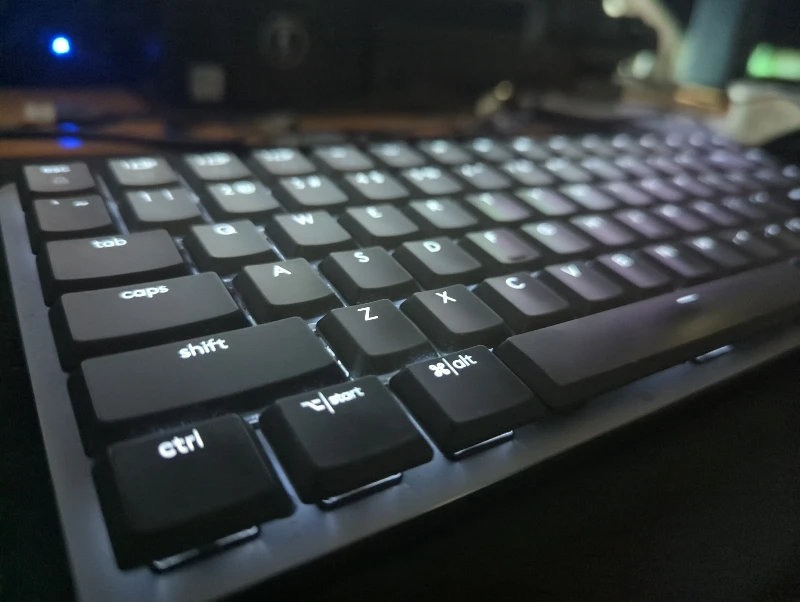
This is why I transitioned to the Logitech MX Mechanical Mini. When your primary job is to “talk” to a machine for hours a day, the tactile experience of that conversation becomes a health and productivity priority.
Minimalist Hardware, Maximalist Output
I previously leaned toward full-sized mechanical boards, but as my workflow shifted toward AI, I realized the number pad was simply dead weight on my desk. By downsizing to the “Mini,” I reclaimed my physical workspace, allowing my mouse and keyboard to sit in a more ergonomic, tight orbit.
My current setup is a hybrid of stability and security. While it’s paired with my Mac Studio M4 Max, I use the USB dongle for my laptop and Linux machine. It’s a conscious choice—not because Bluetooth is unstable, but because I prefer the stronger encryption the dongle provides. In a workflow involving sensitive local LLMs and private data, I prefer a hardened connection.
The Philosophy of “Lean Systems”
My approach to hardware mirrors my approach to software: Anti-Bloat.
I run my systems on a philosophy of minimalism, which is why I’ve intentionally refused to install Logitech’s proprietary software. Most “control center” apps are essentially resource-drains that offer features I will never use. The MX Mechanical Mini is a rare piece of hardware that respects the user; it works perfectly out of the box, and even on MX Linux, it reports battery levels accurately without requiring a single proprietary driver.

The “BIOS” Reality Check
The true value of the hardware, however, reveals itself in the moments when the OS disappears.
Anyone who has managed a Linux build or updated firmware on a Dell machine knows the “Bluetooth Trap”—the moment you realize your fancy keyboard is useless because the BIOS doesn’t recognize Bluetooth. By keeping the USB dongle in my rotation, I avoid the indignity of keeping a “backup” wired keyboard in a drawer. It allows me to move from high-level prompting to low-level system architecture without switching tools.
Final Thoughts
As I continue to strip down my setup this year, the MX Mechanical Mini is the one piece of gear that stays.
We often forget that no matter how powerful the LLM is, it is only as effective as the prompts we feed it. If the act of prompting is physically taxing or the connection is unreliable, the “vibe” is broken. By optimizing the physical link between my thoughts and the machine, I’ve found that I can stay in the flow state longer.
In the age of AI, the keyboard is no longer just a typing tool—it is the steering wheel for the most powerful engines we’ve ever built.