The AI Arms Race and the “Everlasting Bug”
AI is an incredible elevator—it’s helping us write code faster than ever before. But the elevator goes both ways. While we use AI to learn and build, others could be using the same power to automate the creation of dangerous, polymorphic software.
Coupled with the fact that a critical “Zero-Day” bug is discovered almost daily—some of which have been lurking in our systems for a decade—the traditional “perimeter” of security feels thin.
Now, let me be clear: I don’t believe in the illusion of “perfect security.” Security is often a marketing term. I use Linux because it gives me control, not because it’s an impenetrable fortress. However, there is a massive difference between software security (which can be bypassed) and physical isolation.
Because there is no end in sight to the AI-driven vulnerability race, I decided to airgap my local area network (LAN).
Airgapping (n.): The practice of ensuring a computer network is physically isolated from all other networks, most notably the public internet. An airgapped system has no physical or wireless connection to the outside world, creating a literal “gap” of air that data cannot cross without physical intervention.
Look Over My Shoulder: How I Built My Isolation Zone
I didn’t want a complex enterprise setup; I wanted something simple, cheap, and physical. Here is how I structured my environment.
The Physical Hub
To isolate my home lab, I started with a cheap, 5-port Netgear hub from Amazon. I plugged all three of my computers into this hub. Crucially, the hub is not connected to my ISP modem. There is no cable running from my local switch to the outside world.
The Logic: Static IP Addresses
Since there is no router in this loop to hand out IP addresses automatically (via DHCP), I had to assign Static IP addresses to each machine.
Quick Note: A Static IP is like a permanent home address for your computer. Instead of the network assigning a temporary address that might change, you manually tell the computer: “Your address is 192.168.1.10, and it will always be 192.168.1.10.”
Once this was set, my three machines could talk to each other and share files perfectly, but none of them had a path to the internet.
A quick note on file sharing: While all three machines are networked, my Mac can’t natively “see” the Linux computers. However, it works perfectly the other way—my Linux nodes can read and write to the Mac. For me, this is a non-issue; using Thunar, I can move files from the Mac to Linux and vice-versa without any friction.
The “Controlled Gate” (The Internet Node)
Of course, I still need the internet for research and updates. To solve this without compromising the whole network, I dedicated my Dell PC (running MX Linux) as my primary internet node.
I added a cheap USB Ethernet dongle to the Dell. This second Network Interface Card (NIC) is plugged directly into my ISP modem. This creates a “dual-homed” system:
- One cable goes to the Isolated LAN (The Hub).
- One cable goes to the Wild West (The Modem).
Handling the Other Machines
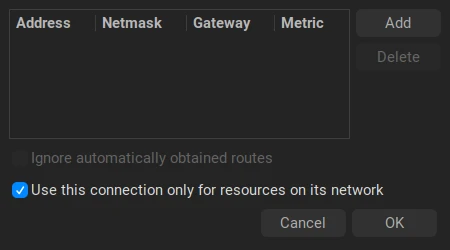
For my Mac and laptop, I rely on the “On/Off” method. If I need a system update, I temporarily enable the WiFi, run the update, and immediately flip the switch to OFF. Both macOS and MX Linux remember this state across reboots, so they stay offline by default.
The beauty of MX Linux (and the XFCE desktop environment) is the handy network toggle. It allows me to easily manage my connections, ensuring I can use local network resources while keeping the external interface disabled.
The Mac was slightly more stubborn with dual-network priority, but after a quick session with Copilot to tweak the network service order, I managed to get it to handle the dual-connection logic similarly.
Closing Thoughts: Control Over Illusion
I implemented this setup about a month ago, and the peace of mind is tangible. I have no plans to revert to a fully connected home.
This is especially important now that I am experimenting with Hermes Agent. When you are running autonomous AI agents that can execute code, the last thing you want is for that agent to have an open line to the internet while you aren’t watching.
By moving the “security” from a software setting to a physical cable, I’ve replaced a fragile illusion with a concrete reality. I’m not claiming to be unhackable—I’m just making sure the hacker has to physically walk into my room to get in.